





Direct Key
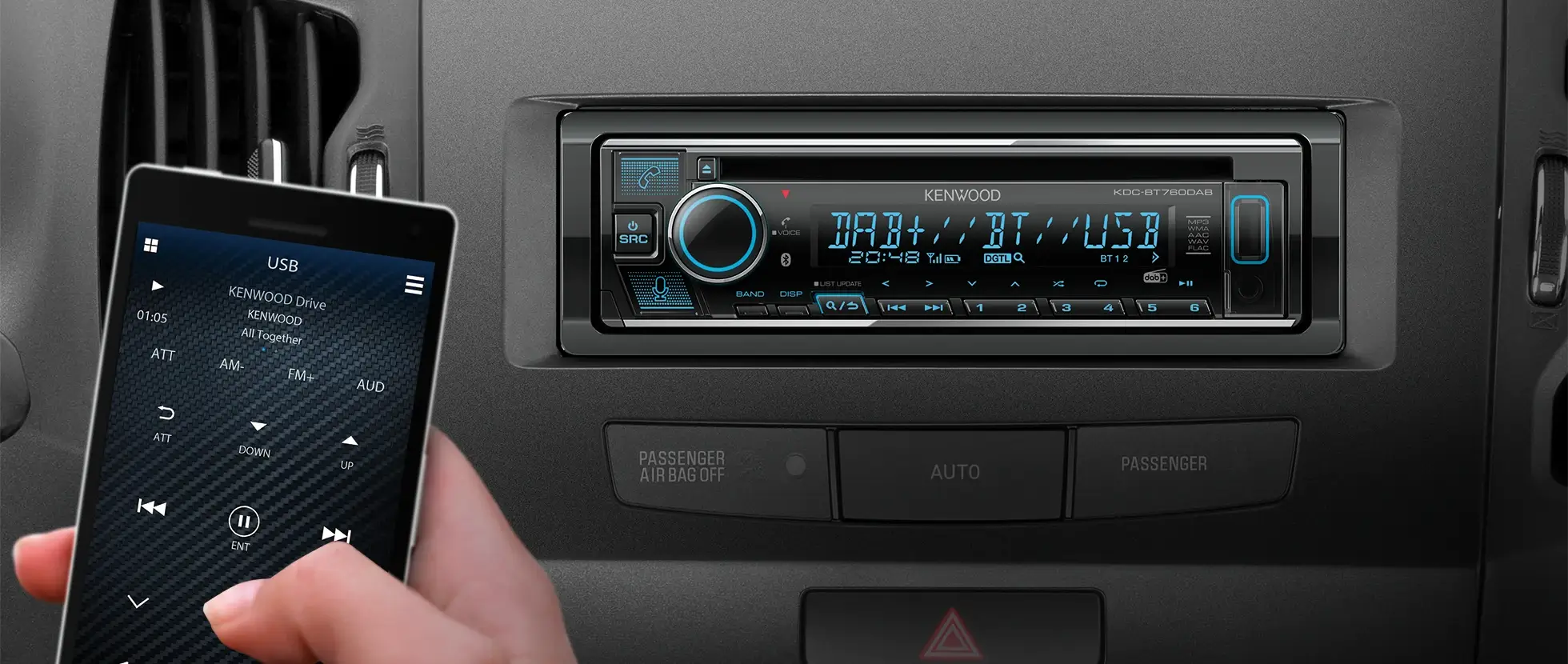
The main function (DAB, Bluetooth, SD, iPod, USB, etc.) on all CD receivers are greatly enhanced with prominent keys for intuitive control.

iPod Friendly Functions
3 Digits Search |
Alphabet Search function has been upgraded. User can now input first 3 letters for searching desired file. With this function and Skip Search, searching becomes much quicker and comfortable. |
Skip Search |


iPhone App & iPod Mode |
With the Kenwood App & iPod Mode, if you run some of your favourite apps from the iPhone, you can control basic functions and hear them through the all new CD Receivers which have iPod direct connection. * Do not operate iPod while driving. |
 |
Kenwood Music Control for Android™
|
|
Editing the songs stored on your Android™ Smartphone using Kenwood Music Control allows you to control playback of those songs conveniently and comfortably. Furthermore, connecting your Android™ Smartphone to a Kenwood CD Receiver with a USB cable allows you to control music playback on your Android™ Smartphone from the CD Receiver. Please click here for further information. |


SD Playback
|
|
Play music files (WMA/MP3) stored on SD card with the SD function featured in the KDC-BT47SD, KDC-4754SD and KDC-4654SD. SDHC (SD ver 2.0) is supported up to 32GB. |


Built-in DAB+ Tuner

The KDC-DAB41U and KDC-DAB4551U come equipped with built-in DAB Tuner to enable reception of DAB and DAB+ so you can enjoy full digital radio broadcast.
* DAB Antenna is included in KDC-DAB41U only.

Built-in Bluetooth
Making Call |
|
Receiving Call |

Optional Bluetooth Adaptor KCA-BT300
|
|
The KCA-BT300 is an add on Bluetooth adaptor compatible with the KDC-DAB41U and KDC-DAB4551U. It enables hands-free mobile phone operation, SMS (Short Message Service), additionally it plays music files from A2DP-compatible devices.
|


Partial Variable Colour Illumination

Partial Variable Colour Illumination is now available on KDC-BT47SD, KDC-4754SD and KDC-4554U. A wide palette of colours is available on both right and left sides of the front panel using Variable colour illumination which allows you to customise your CD Receiver to your taste.

Front USB and AUX Input
|
|
An AUX terminal can be used for digital audio player connection. The USB terminal can be used to input USB memory, attach a USB compatible digital audio player or iPod/iPhone through optional cable. These terminals are on the front of the unit and have a sliding cover to avoid dust and ensure more secure connections. Moreover, the illumination offers easy connection of your external device during night time. |


Illuminated Front AUX
|
|
Models with front AUX input, enable easy connection of digital audio players. With this unique feature, you can enjoy your music recorded on the digital audio player via the car audio system. Moreover, the illumination offers easy connection of your external device during night time. |


Audio Control
Audio enhancement for ultimate sound quality is available, dB Equalizer, Supreme, Loudness, Bass Boost and Volume Offset.
|
dB Equalizer  |
Loudness  |
Bass Boost  |
Volume Offset  |
Mixed Preset Memory
|
|
|


Kenwood Music Editor Light

Playback and searching for music stored on a USB mass storage device can be quite cumbersome, depending on how files and folders are structured the process of playback can become frustrating. Kenwood Music Editor Light, when used with compatible car audio systems, makes the process so much easier. Simply create a music file database on your PC Kenwood Music Editor Light, using a drag-and-drop or copy-and paste technique, and now you can search for a music file by genre/artist/album or song. To download Kenwood Music Editor Light, please click here.
Firmware Updates

The operating system is updatable via free downloadable software from Kenwood's support sites. Firmware downloads assist in maintaining system performance when using external devices and emerging technologies. Latest firmware updates are available at the UP 2 DATE section.