






iPod Friendly Functions


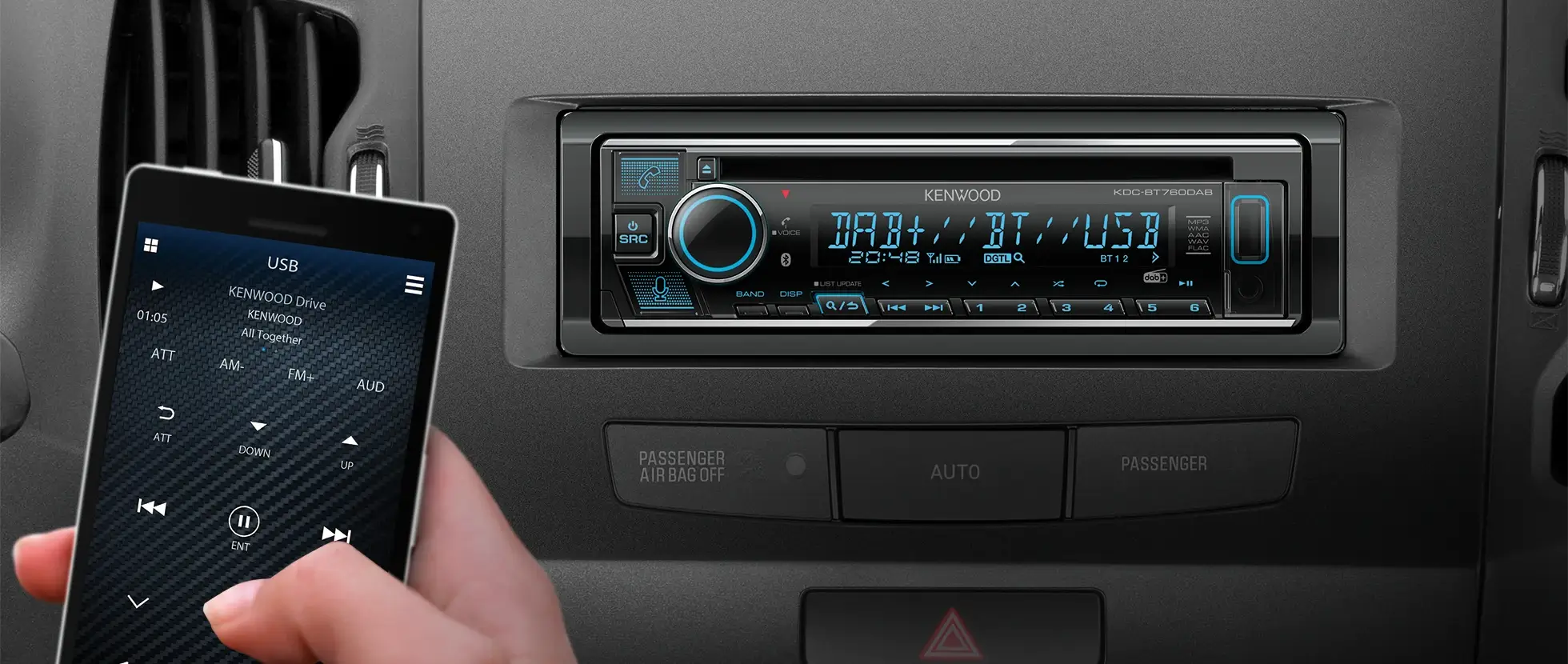
The grip control knob (1) is similar to that of an iPod, making operation familiar for iPod owners. What's more, the high-speed search bar key (2) allows users to scroll up or down through music and video files.
|
|
Simply press the SEARCH MODE key (or press and hold the PRESET key) and enter the Search Mode, this allows users to access a variety of different modes. With Direct Search, enter the first three letters of the playlist, artist, album, song, podcast, genre or composer and turn the knob right/left, to get a list of songs. It is also possible to search using Alphabet Search, Skip Search and Related Search functions. App & iPod Mode is also available, with this function the user can choose to control from the iPod itself rather than from the receiver. * Do not operate iPod while driving. |

|
Direct Search |
Alphabet Search |
Skip Search |
Related Search |
 |
 |
 |
 |
|
iPhone App & iPod Mode |
|||
 |
2 Speed Search
|
|
The KDC-BT92SD comes equipped with 2 Speed Search function. When the knob is turned fast while browsing your song list on an iPod/iPhone, it will automatically switch to the Alphabet Search. This feature allows you to search through the music tracks faster than ever. |

Kenwood Music Control for Android™
|
|
Editing the songs stored on your Android™ Smartphone using Kenwood Music Control allows you to control playback of those songs conveniently and comfortably. Furthermore, connecting your Android™ Smartphone to a Kenwood CD Receiver with a USB cable allows you to control music playback on your Android™ Smartphone from the CD Receiver. Please click here for further information. |


SD Playback
|
|
Play music files (WMA/MP3) stored on SD card with the SD function featured in the KDC-BT92SD. SDHC (SD ver 2.0) is supported up to 32GB. |


Bluetooth In-car Entertainment
Making Call |
|
Receiving Call |

Optional Bluetooth Adaptor KCA-BT300
|
|
The KCA-BT300 is an add on Bluetooth adaptor compatible with the KDC-6051U. It enables hands-free mobile phone operation, SMS (Short Message Service), additionally it plays music files from A2DP-compatible devices. |

5 Line Text Display / 3 Line Large Text Display
|
|
You can select between five lines of regular-size text or three lines of large-size text. Five lines per screen help to make music searching much easier and faster, while three lines of text enables easier reading of the display. |

Multi-language Menu & Tag
The KDC-BT92SD and KDC-6051U support multiple languages such as English, French, German, Italian, Spanish and Russian on your basic menus. Furthermore, it supports tag information stored in your iPod/iPhone or USB devices for all the above languages.

Variable Colour Illumination

A wide palette of colours is available using Variable Colour illumination and display which allows you to customise your CD Receiver to your taste. This function also makes it easier to match the CD Receiver to a vehicle's interior lighting colour.

Sound Excellence DSP

The KDC-BT92SD comes equipped with improved Sound Excellence DSP including Digital Time Alignment (DTA), Highway Sound, 13-Band Graphic EQ, Space Enhancer, Sound Elevation, Sound Realizer and Supreme V for ultimate sound quality. A similar audio enhancement feature is available for the KDC-6051U, and it includes a unique iPod EQ function that improves iPod sound quality by deactivating the EQ setting, allowing you to select from 22 EQ curves optimised for iPod playback in any vehicle.
|
DTA  |
Highway Sound  |
13-Band Graphic EQ  |
Space Enhancer  |
|
Sound Elevation  |
Sound Realizer  |
Supreme V  |
iPod EQ  |
|
Loudness  |
Bass Boost  |
X'over Network  |
Volume Offset  |
Tuner Preset / Recall Key
|
|
With the Tuner Preset & Recall Key, the KDC-BT92SD allows you to simultaneously save and recall up to 18 radio channels (maximum of 6 AM channels) saving you precious time. |

Favorite Memory
|
|
With Favorite Memory feature, the KDC-6051U allows you to store favorite radio stations, songs in an iPod, phone numbers and setup functions like preset memory. It's so easy you can recall them with one press of the Favorite Key. |


Kenwood Music Editor Light

Playback and searching for music stored on a USB mass storage device can be quite cumbersome, depending on how files and folders are structured the process of playback can become frustrating. Kenwood Music Editor Light, when used with compatible car audio systems, makes the process so much easier. Simply create a music file database on your PC Kenwood Music Editor Light, using a drag-and-drop or copy-and paste technique, and now you can search for a music file by genre/artist/album or song. To download Kenwood Music Editor Light, please click here .
Firmware Updates

The operating system is updatable via free downloadable software from Kenwood's support sites. Firmware downloads assist in maintaining system performance when using external devices and emerging technologies. Latest firmware updates are available at the UP 2 DATE section.